Shopline shipping integration to automate fulfilment

Connect Shopline with Sendcloud to automate your post-purchase flow, print labels automatically, and keep orders moving fast as you scale in the UK.

100+ integrations available

Discounted shipping rates

Cancel anytime

4.6 Shopify App Store

4.6 G2

4.3 Trustpilot

Why Shopline merchants choose Sendcloud

Smart shipping with Shopline

As your Shopline store grows, fulfilment gets harder and accuracy slips. Sendcloud links to Shopline so labels are booked with your courier and printed moments after a sale. Shipping rules remove manual steps, cut errors, and speed up shipping.

Print Shopline shipping labels automatically

Cut manual input and reduce human errors

Use shipping rules to automate Shopline orders
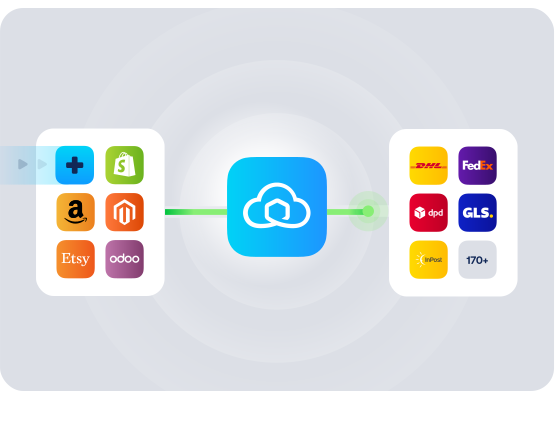
HOW TO CONNECT

A simple 3-step flow:

Run your shipping operations from one place.
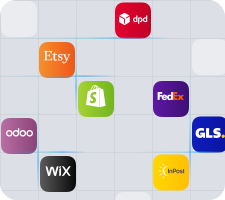
Connect your platforms and systems
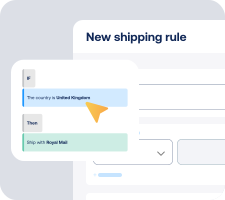
Choose couriers and automate shipping rules
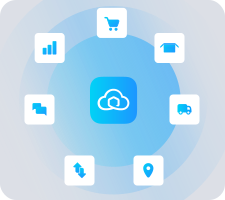
Manage shipping, tracking, and returns in one platform

Get the most out of Shopline with Sendcloud

Grow your business

Scale on Shopline without extra headcount by automating fulfilment.

Ship more efficiently

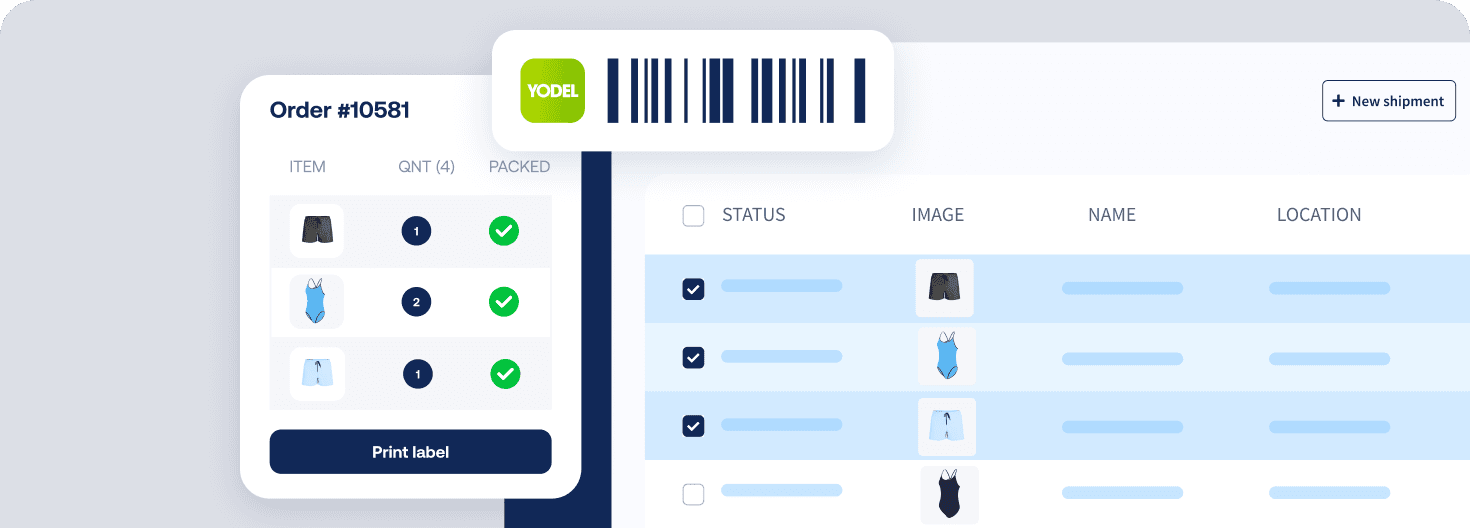
Create labels with your courier and auto-print in seconds.
Deliver great experiences

Keep orders moving with on-time shipping and fewer packing errors.

Resolve shipping issues faster

Standardise processes with rules so teams fix exceptions quickly.

WHAT OUR CUSTOMERS SAY

From hours to seconds

“Before Sendcloud, we used to waste hours each week manually typing in orders. Now, we can match up the order sheet with the labels in seconds.”

50%

faster order processing

90%

reduction in shipping errors

MULTI-CARRIER STRATEGY

Shopline shipping with the couriers your customers expect

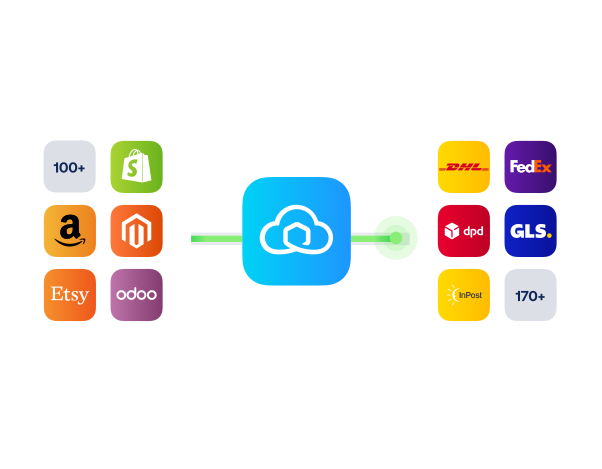
Stay flexible with a multi-courier setup: pick the best service per order, switch when delays hit, and keep costs in check while maintaining reliable UK delivery.
How do I set up the Shopline shipping integration and how long will it take?

You can connect in minutes with no developer needed. Here is the quickest way to go live:

  • Install the app: Install Sendcloud from the Shopline App Store

  • Connect your account: Log in to Sendcloud or create a Free plan account

  • Choose defaults: Select your preferred courier service and turn on automatic label printing

  • Add shipping rules: Set simple rules to auto-apply services based on destination, weight, or order tags

  • Test and ship: Create a test order in Shopline, then confirm the label is booked and printed automatically


What features are supported with Sendcloud's Shopline integration?

When you connect your Shopline store to Sendcloud, the Shopline shipping integration streamlines day-to-day fulfilment so you can ship faster with fewer clicks.

  • Instant order sync from Shopline to Sendcloud moments after purchase

  • Automatic label booking with your chosen courier and service

  • Automatic printing so labels are sent straight to your printer

  • Shipping rules to apply the right service by destination, weight, value, or SKU

  • Error reduction by removing manual data entry

  • Manage tracking and returns in Sendcloud from one place

Will it work with my couriers and can I use my own rates?

Yes. You can ship with Sendcloud’s pre-negotiated discounted rates, or upload your own courier contracts and keep your existing agreements. With access to 170+ couriers, you are not locked into a single option.

For UK merchants, popular choices include Royal Mail, Evri, DPD, UPS, DHL Parcel UK, and Parcelforce. You can add or switch services at any time as your shipping needs change.

Do I need a paid plan to start and are there any extra costs?

You can connect Shopline to Sendcloud on the Free plan. There is no minimum app plan required for the Shopline integration. Your courier charges apply as normal, whether you use Sendcloud rates or your own contracts.

Any Shopline platform fees are separate. If you are reviewing Shopline plans, see the latest details here: See Shopline pricing.

Can I control which orders auto-print and which services get applied?

Yes. You decide how automated you want the flow to be:

  • Turn automatic printing on or off, and choose your default printer

  • Use shipping rules to auto-apply services by country, weight, value, or product attributes

  • Handle exceptions manually in Sendcloud if an order needs a different service or a reprint

This gives you full control during peak periods while keeping everyday orders fully automated.

How do I set up the Shopline shipping integration and how long will it take?

You can connect in minutes with no developer needed. Here is the quickest way to go live:

  • Install the app: Install Sendcloud from the Shopline App Store

  • Connect your account: Log in to Sendcloud or create a Free plan account

  • Choose defaults: Select your preferred courier service and turn on automatic label printing

  • Add shipping rules: Set simple rules to auto-apply services based on destination, weight, or order tags

  • Test and ship: Create a test order in Shopline, then confirm the label is booked and printed automatically


What features are supported with Sendcloud's Shopline integration?

When you connect your Shopline store to Sendcloud, the Shopline shipping integration streamlines day-to-day fulfilment so you can ship faster with fewer clicks.

  • Instant order sync from Shopline to Sendcloud moments after purchase

  • Automatic label booking with your chosen courier and service

  • Automatic printing so labels are sent straight to your printer

  • Shipping rules to apply the right service by destination, weight, value, or SKU

  • Error reduction by removing manual data entry

  • Manage tracking and returns in Sendcloud from one place

Will it work with my couriers and can I use my own rates?

Yes. You can ship with Sendcloud’s pre-negotiated discounted rates, or upload your own courier contracts and keep your existing agreements. With access to 170+ couriers, you are not locked into a single option.

For UK merchants, popular choices include Royal Mail, Evri, DPD, UPS, DHL Parcel UK, and Parcelforce. You can add or switch services at any time as your shipping needs change.

Do I need a paid plan to start and are there any extra costs?

You can connect Shopline to Sendcloud on the Free plan. There is no minimum app plan required for the Shopline integration. Your courier charges apply as normal, whether you use Sendcloud rates or your own contracts.

Any Shopline platform fees are separate. If you are reviewing Shopline plans, see the latest details here: See Shopline pricing.

Can I control which orders auto-print and which services get applied?

Yes. You decide how automated you want the flow to be:

  • Turn automatic printing on or off, and choose your default printer

  • Use shipping rules to auto-apply services by country, weight, value, or product attributes

  • Handle exceptions manually in Sendcloud if an order needs a different service or a reprint

This gives you full control during peak periods while keeping everyday orders fully automated.

How do I set up the Shopline shipping integration and how long will it take?

You can connect in minutes with no developer needed. Here is the quickest way to go live:

  • Install the app: Install Sendcloud from the Shopline App Store

  • Connect your account: Log in to Sendcloud or create a Free plan account

  • Choose defaults: Select your preferred courier service and turn on automatic label printing

  • Add shipping rules: Set simple rules to auto-apply services based on destination, weight, or order tags

  • Test and ship: Create a test order in Shopline, then confirm the label is booked and printed automatically


What features are supported with Sendcloud's Shopline integration?

When you connect your Shopline store to Sendcloud, the Shopline shipping integration streamlines day-to-day fulfilment so you can ship faster with fewer clicks.

  • Instant order sync from Shopline to Sendcloud moments after purchase

  • Automatic label booking with your chosen courier and service

  • Automatic printing so labels are sent straight to your printer

  • Shipping rules to apply the right service by destination, weight, value, or SKU

  • Error reduction by removing manual data entry

  • Manage tracking and returns in Sendcloud from one place

Will it work with my couriers and can I use my own rates?

Yes. You can ship with Sendcloud’s pre-negotiated discounted rates, or upload your own courier contracts and keep your existing agreements. With access to 170+ couriers, you are not locked into a single option.

For UK merchants, popular choices include Royal Mail, Evri, DPD, UPS, DHL Parcel UK, and Parcelforce. You can add or switch services at any time as your shipping needs change.

Do I need a paid plan to start and are there any extra costs?

You can connect Shopline to Sendcloud on the Free plan. There is no minimum app plan required for the Shopline integration. Your courier charges apply as normal, whether you use Sendcloud rates or your own contracts.

Any Shopline platform fees are separate. If you are reviewing Shopline plans, see the latest details here: See Shopline pricing.

Can I control which orders auto-print and which services get applied?

Yes. You decide how automated you want the flow to be:

  • Turn automatic printing on or off, and choose your default printer

  • Use shipping rules to auto-apply services by country, weight, value, or product attributes

  • Handle exceptions manually in Sendcloud if an order needs a different service or a reprint

This gives you full control during peak periods while keeping everyday orders fully automated.

Automate fulfilment and cut errors with Sendcloud's Shopline integration

100+ integrations available

Discounted shipping rates

Cancel anytime

Automate fulfilment and cut errors with Sendcloud's Shopline integration

100+ integrations available

Discounted shipping rates

Cancel anytime

Automate fulfilment and cut errors with Sendcloud's Shopline integration

100+ integrations available

Discounted shipping rates

Cancel anytime